
Stay Updated with Deepseek News

24K subscribers

Get expert analysis, model updates, benchmark breakdowns, and AI comparisons delivered weekly.

DeepSeek VL for Screenshot Understanding: A Complete Technical Guide

DeepSeek VL enables advanced screenshot understanding by combining vision and language reasoning. This guide explains how it extracts text, interprets UI layouts, analyzes dashboards, and powers automation workflows. Learn implementation strategies, use cases, and best practices for building AI-powered screenshot analysis systems.

Share If The Content Is Helpful and Bring You Any Value using Deepseek. Thanks!

The ability for AI systems to interpret screenshots is becoming a foundational capability across modern software products. From debugging applications and automating workflows to analyzing dashboards and extracting structured data, screenshot understanding sits at the intersection of computer vision, natural language processing, and reasoning systems.

DeepSeek VL (Vision-Language) represents a new class of multimodal models designed not just to “see” images, but to understand them contextually, structurally, and semantically. Unlike traditional OCR tools or basic image captioning models, DeepSeek VL is built for reasoning over visual inputs, making it particularly well-suited for interpreting screenshots.

This article provides a comprehensive, technical, and practical exploration of how DeepSeek VL enables screenshot understanding, including architecture, capabilities, use cases, implementation strategies, limitations, and best practices.


What Is DeepSeek VL?

DeepSeek VL is a vision-language model that combines image processing with advanced reasoning capabilities. It allows developers to input images (including screenshots) and receive structured or natural language outputs that reflect both visual recognition and logical interpretation.

Core Capabilities

  • OCR (Optical Character Recognition)
  • UI and layout understanding
  • Diagram and chart interpretation
  • Multimodal reasoning (text + image)
  • Structured data extraction
  • Instruction-following based on visual input

As noted in existing DeepSeek platform materials, VL models are used in applications like visual product search and UI understanding, where the system goes beyond description into actionable interpretation .


Why Screenshot Understanding Matters

Screenshots are one of the most common forms of unstructured data in modern workflows. They contain:

  • Text (often unstructured or stylized)
  • Visual hierarchy (buttons, menus, charts)
  • Context (application state, errors, metrics)

Traditional systems struggle because they treat screenshots as flat images, missing relationships between elements.

Key Challenges

ChallengeDescription
Mixed contentText, icons, graphs, and UI elements coexist
Spatial relationshipsMeaning depends on layout
Context dependencySame text can mean different things depending on UI
Dynamic contentScreenshots vary across apps and states

DeepSeek VL addresses these challenges through multimodal reasoning pipelines, not just image recognition.


How DeepSeek VL Understands Screenshots

1. Multimodal Encoding

The model processes screenshots using a combination of:

  • Visual encoder (extracts features from image regions)
  • Text encoder (processes embedded text via OCR or native detection)
  • Fusion layers (combine visual and textual signals)

This allows the system to understand not just what is present, but how elements relate.


2. Layout-Aware Representation

Unlike traditional models, DeepSeek VL maintains spatial awareness:

  • Button positions
  • Menu hierarchies
  • Chart axes and legends
  • Form structures

This is critical for tasks like:

  • “Which button should I click?”
  • “What error is shown in this UI?”

3. Reasoning Layer

DeepSeek VL integrates with reasoning models (e.g., DeepSeek Logic/Core), enabling:

  • Step-by-step interpretation
  • Context inference
  • Instruction execution

Example:

Input: Screenshot of a failed API request
Output:

  • Error identified: 401 Unauthorized
  • Likely cause: Missing API key
  • Suggested fix: Add Authorization header

This goes far beyond OCR.


4. Output Structuring

DeepSeek VL can return:

  • Natural language explanations
  • JSON outputs
  • Structured UI mappings

Example JSON:

{
  "screen_type": "dashboard",
  "key_metrics": [
    {"name": "Revenue", "value": "$12,430"},
    {"name": "Conversion Rate", "value": "3.2%"}
  ],
  "alerts": ["Traffic drop detected"]
}

Key Screenshot Understanding Capabilities

1. Text Extraction (OCR++)

DeepSeek VL performs OCR with:

  • Multi-language support
  • Context-aware correction
  • Semantic grouping

Unlike standard OCR:

  • It understands labels vs values
  • Groups related text elements

2. UI Element Detection

The model identifies:

  • Buttons
  • Input fields
  • Navigation menus
  • Modals
  • Error messages

This enables automation workflows such as:

  • UI testing
  • RPA (Robotic Process Automation)
  • Accessibility tools

3. Chart and Dashboard Interpretation

DeepSeek VL can:

  • Read graphs (bar, line, pie)
  • Extract trends
  • Compare values
  • Identify anomalies

Example:

“Traffic dropped by 18% compared to last week, mainly from mobile users.”


4. Error and Debugging Analysis

One of the highest-value use cases:

  • Parse stack traces
  • Identify error types
  • Suggest fixes

This is especially powerful for:

  • Developers
  • DevOps teams
  • Support engineers

5. Workflow Understanding

DeepSeek VL can interpret multi-step UI flows:

  • Login screens
  • Checkout processes
  • Form submissions

This allows:

  • Process documentation
  • Automated guidance
  • UX analysis

Real-World Use Cases

1. Developer Debugging Assistant

Upload a screenshot of:

  • Terminal errors
  • Logs
  • IDE warnings

Output:

  • Root cause analysis
  • Suggested fixes
  • Code snippets

2. Customer Support Automation

Users upload screenshots of issues:

  • Payment failures
  • App crashes
  • UI confusion

DeepSeek VL:

  • Identifies issue
  • Generates response
  • Suggests resolution steps

3. No-Code Automation (RPA)

Example:

  • “Click the ‘Submit’ button if the form is valid”

DeepSeek VL:

  • Detects button
  • Validates conditions
  • Executes action via API

4. Business Dashboard Analysis

Upload analytics dashboards:

  • Extract KPIs
  • Generate summaries
  • Detect anomalies

5. Accessibility Tools

For visually impaired users:

  • Describe UI
  • Guide navigation
  • Explain visual elements

6. QA and Testing Automation

  • Validate UI states
  • Detect regressions
  • Compare screenshots

DeepSeek VL vs Traditional Approaches

FeatureTraditional OCRBasic Vision ModelsDeepSeek VL
Text extraction
Layout understanding⚠️
UI interpretation⚠️
Reasoning
Structured output⚠️
Debugging capability

Implementation Guide

Step 1: Prepare Screenshot Input

Supported formats:

  • PNG
  • JPEG
  • WebP

Best practices:

  • High resolution
  • Avoid heavy compression
  • Include full UI context

Step 2: API Request

Example (Python):

import requests

url = "https://api.deepseek.international/v1/vision"

headers = {
    "Authorization": "Bearer YOUR_API_KEY"
}

files = {
    "image": open("screenshot.png", "rb")
}

data = {
    "prompt": "Analyze this screenshot and identify any errors and key UI elements."
}

response = requests.post(url, headers=headers, files=files, data=data)

print(response.json())

Step 3: Prompt Engineering

Effective prompts improve results significantly.

Examples

Basic:

  • “Describe this screenshot”

Advanced:

  • “Extract all error messages and suggest fixes”
  • “List all clickable elements and their functions”
  • “Summarize the dashboard insights in bullet points”

Step 4: Post-Processing

  • Convert outputs into workflows
  • Store structured data
  • Trigger automation

Prompt Engineering for Screenshot Understanding

Categories of Prompts

1. Extraction Prompts

  • “Extract all text and group by section”

2. Interpretation Prompts

  • “What is happening in this UI?”

3. Action Prompts

  • “What should the user do next?”

4. Debugging Prompts

  • “Identify the issue and suggest fixes”

Best Practices

  • Be specific
  • Define output format
  • Provide context

Limitations and Considerations

1. Ambiguity in UI

Some screenshots lack context:

  • Partial views
  • Missing states

2. Small Text or Low Quality

Performance depends on:

  • Resolution
  • Clarity

3. Domain-Specific Interfaces

Highly specialized UIs may require:

  • Fine-tuning
  • Prompt engineering

4. Privacy Concerns

Screenshots may contain:

  • Sensitive data
  • Personal information

Best practice:

  • Mask sensitive fields
  • Use secure API configurations

Performance Considerations

Latency

  • Typically ~1.5–2.5 seconds depending on complexity

Cost Factors

  • Image size
  • Processing complexity
  • Output length

Advanced Patterns

1. Screenshot + Chat Memory

  • Maintain session context
  • Compare multiple screenshots

2. Multi-Step Automation

  • Screenshot → Analysis → Action

3. Hybrid Pipelines

Combine:

  • DeepSeek VL (vision)
  • DeepSeek Logic (reasoning)
  • DeepSeek Chat (interaction)

Future of Screenshot Understanding

The trajectory of models like DeepSeek VL suggests:

  • Fully autonomous UI agents
  • Real-time visual copilots
  • End-to-end workflow automation

Future improvements may include:

  • Video understanding
  • Real-time screen streaming
  • Deeper app integration

When to Use DeepSeek VL for Screenshots

Ideal Use Cases

  • Debugging and developer tools
  • Business intelligence dashboards
  • UI automation
  • Customer support

Not Ideal For

  • Pure text extraction (use OCR-only tools for cost efficiency)
  • Extremely low-quality images

Final Verdict

DeepSeek VL represents a significant step forward in multimodal AI. It transforms screenshots from static images into actionable data sources.

Instead of asking:

“What does this image contain?”

You can now ask:

“What does this mean, and what should I do next?”

That shift—from perception to reasoning—is what makes DeepSeek VL particularly powerful for screenshot understanding.

FAQ

1. What is DeepSeek VL and how does it understand screenshots?

DeepSeek VL is a vision-language model that processes images and text together. It analyzes screenshots by extracting text, identifying UI elements, and applying reasoning to understand context, workflows, and meaning.

2. How is DeepSeek VL different from traditional OCR tools?

Traditional OCR only extracts text, while DeepSeek VL understands layout, relationships between elements, and context. It can interpret dashboards, detect UI components, and provide actionable insights instead of raw text.

3. Can DeepSeek VL analyze UI elements like buttons and forms?

Yes, DeepSeek VL can detect and interpret UI components such as buttons, menus, input fields, and modals. This makes it useful for automation, UI testing, and user guidance systems.

4. What are the main use cases of screenshot understanding with DeepSeek VL?

Key use cases include developer debugging, customer support automation, dashboard analysis, robotic process automation (RPA), accessibility tools, and QA testing.

5. Is DeepSeek VL suitable for real-time applications?

DeepSeek VL can be used in near real-time applications depending on latency requirements. Typical response times range from 1.5 to 2.5 seconds, making it suitable for interactive tools and backend automation workflows.


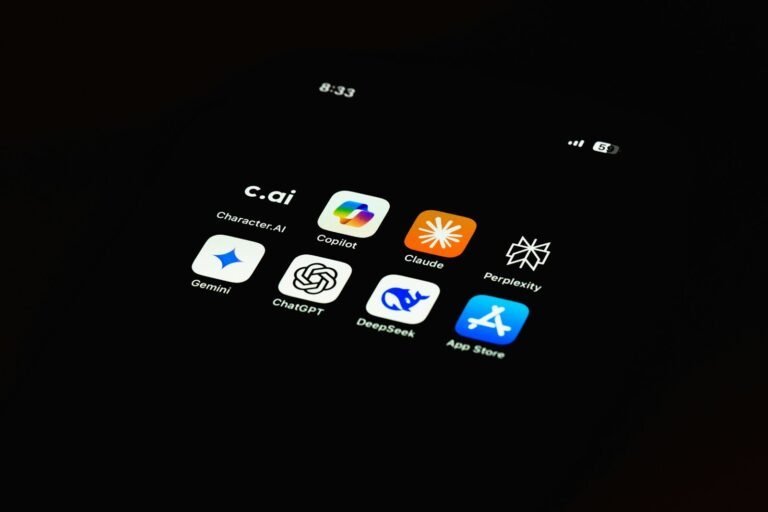
Share If The Content Is Helpful and Bring You Any Value using Deepseek. Thanks!
Deepseek
Deepseek

“Turning clicks into clients with AI‑supercharged web design & marketing.”
Let’s build your future site ➔

Passionate Web Developer, Freelancer, and Entrepreneur dedicated to creating innovative and user-friendly web solutions. With years of experience in the industry, I specialize in designing and developing websites that not only look great but also perform exceptionally well.

Articles: 197

Deepseek AIUpdates

Enter your email address below and subscribe to Deepseek newsletter

Leave a Reply

Your email address will not be published. Required fields are marked *

Gravatar profile



